MS Excel Course Duration:
Ye course generally 1 se 3 mahine ka hota hai. Basic Excel 30 din, Advanced Excel 45–60 din, aur Professional Excel 3 mahine me complete kiya ja sakta hai.
MS Excel Course Duration & Fees, Syllabus, Scope, Jobs, Admission & Best Institutes Near Me
About the MS Excel Course
Microsoft Excel एक professional spreadsheet software है जिसे दुनियाभर में data entry, accounting, office work, MIS reporting, data analysis, billing, salary sheet, GST calculation, inventory management, और business reporting के लिए उपयोग किया जाता है। इस पोस्ट में आप जानेंगे कि MS Excel Course Duration & Fees से संबंधित सभी अपडेट A to Z जानकारी के साथ
इस विषय पर विस्तार से पढ़ें: MS Excel Course Detail, Fees, Duration, Scope, Syllabus, Admission, Institutes & Jobs in 2026
Durgakund 8808888478Rathyatra 9415802061दोनों शाखाएँ सोमवार–शनिवार सुबह 7 से रात 8 बजे तक खुली हैं। कोर्स की जानकारी के लिए Durgakund 8808888478 और Rathyatra 9415802061 पर सातों दिन, किसी भी समय कॉल कर सकते हैं।
2026 में MS Excel सीखना सिर्फ Computer Knowledge नहीं बल्कि Job Skill बन चुका है। आज लगभग हर कंपनी में Excel का उपयोग होता है, चाहे वह स्कूल हो, कॉलेज, बैंक, ऑफिस, हॉस्पिटल, दुकान, फैक्ट्री या मल्टीनेशनल कंपनी।
Agar aap soch rahe hain ki Excel course time period kitna hota hai ya Excel sikhne me kitna time lagta hai, to iska jawab aapke course level par depend karta hai. Generally, Basic se Advanced MS Excel Course 1 se 3 mahine me complete ho jata hai.
अगर आप Computer Course करने की सोच रहे हैं, तो MS Excel Course आपके Career के लिए सबसे Important और High Demand Skill Courses में से एक है।
About O Level Course, Top 1 Best Syllabus, Duration, Fees, Scope, Institute, and Jobs in Varanasi
What is MS Excel?
Microsoft Excel Microsoft Corporation द्वारा विकसित एक Spreadsheet Application है जो Rows और Columns में Data को Manage करने की सुविधा देता है।
MS Excel का उपयोग किया जाता है:
- Data Entry करने में
- Salary Sheet बनाने में
- Invoice और Billing करने में
- GST Calculation में
- Attendance बनाने में
- Reports तैयार करने में
- Data Analysis करने में
- Charts और Graphs बनाने में
- Office Automation में
आज 2026 में Excel केवल Basic Spreadsheet Software नहीं बल्कि Business Intelligence और Data Analytics का महत्वपूर्ण Tool बन चुका है।
MS Excel Course Duration & Fees in 2026
MS Excel Course की अवधि आपके सीखने के स्तर पर निर्भर करती है।
| Course Type | Duration |
| Basic MS Excel Course | 1 Month |
| Advanced Excel Course | 2 to 3 Months |
| Professional Excel + MIS | 3 to 6 Months |
अगर छात्र रोज Practice करता है तो वह 30 से 45 दिनों में Excel अच्छी तरह सीख सकता है।
Advanced Excel Course How Many Months?
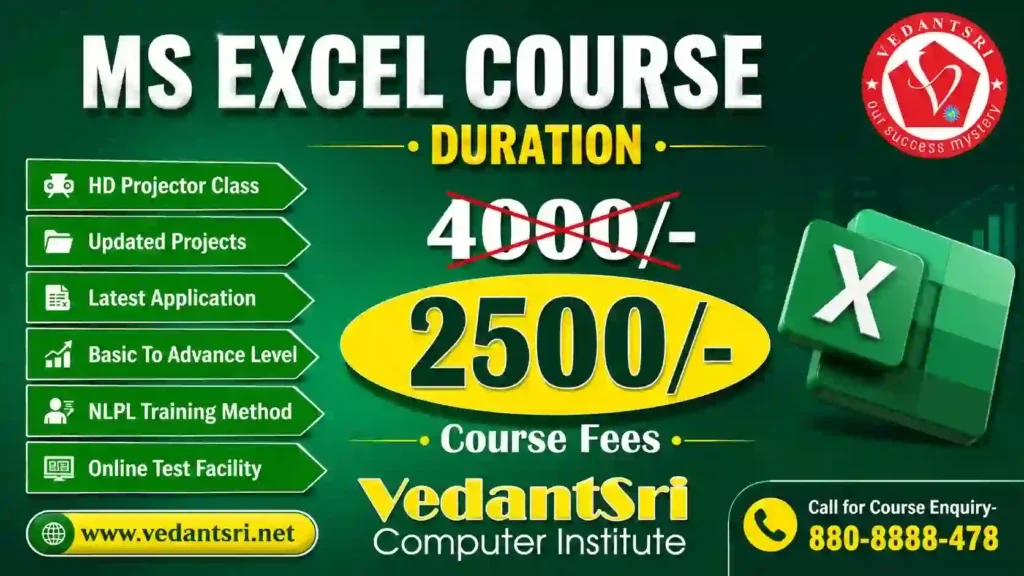
Advanced Excel course aam taur par 1 se 3 mahine me poora hota hai. VedantSri me Excel course 1.5 mahine ka hai, fees abhi ₹2,000 (regular ₹3,000).
MS Excel Course Fees in 2026
Advanced Excel Course Fees
| Course | Regular fees | Abhi offer |
| Advanced Excel Course | [OFFICE SE PAKKA KAREIN: regular fee] | [OFFICE SE PAKKA KAREIN: current offer fee] |
| Excel Course (listed fee) | ₹3,000 | ₹2,000 |
Fees for the listed Excel course can be paid in instalments. The separate fee for Advanced Excel is not confirmed in the available course-fee information, so please verify it with the office before publishing.
अगर आप VedantSri Computer Institute में Admission लेते हैं तो आपको कम फीस में Practical Training, Notes और Live Projects के साथ Excel Training मिल सकती है।
Advance Excel Course Fees
| Course | Regular fees | Abhi offer |
| Excel Course | ₹3,000 | ₹2,000 |
Fees can be paid in instalments.
CCC Course Fees, Syllabus, Duration, Scope, Jobs, and Institute in Varanasi
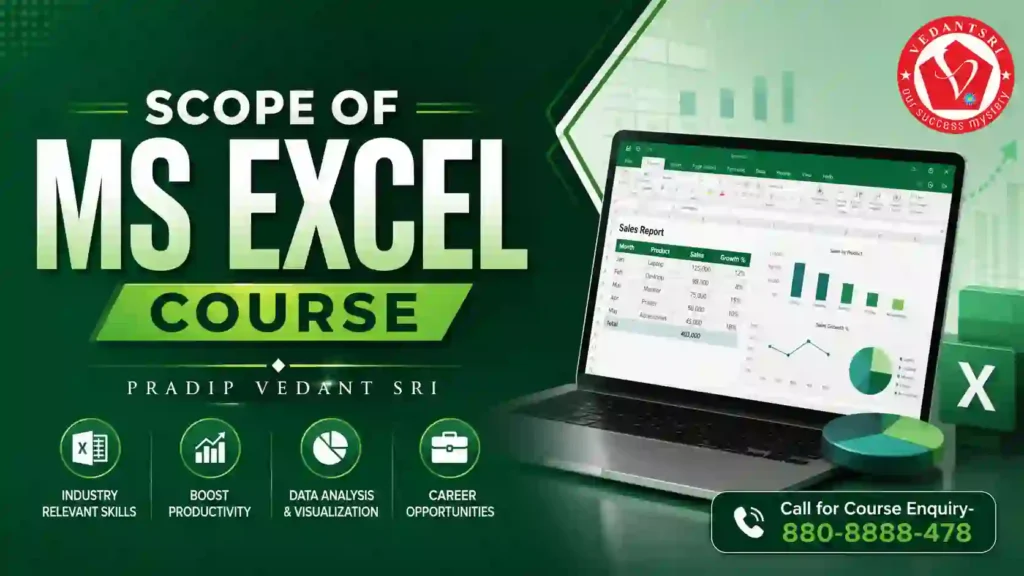
MS Excel Course Syllabus
Module 1: Excel Basics
- Introduction to Excel
- Workbook और Worksheet
- Rows, Columns और Cells
- Data Entry और Formatting
- Formula और Functions
- AutoFill और Flash Fill
- Tables बनाना
- Page Setup और Printing
- Workbook
- Worksheet
- Rows & Columns
- Cells
- Formatting
Module 2: Formulas
- SUM
- AVERAGE
- IF
- COUNTIF
- VLOOKUP
- IF Formula
- VLOOKUP
- HLOOKUP
- XLOOKUP
- Pivot Table
- Conditional Formatting
- Data Validation
- Charts और Dashboards
- Lookup Functions
- Logical Functions
- Text Functions
- Date & Time Functions
- MIS Reports
Module 3: Data Analysis
- Sorting
- Filtering
- Conditional Formatting
- Pivot Table
- Charts
- Macros
- VBA Basics
- Power Query
- Power Pivot
- Data Analysis
- Automation
- Dashboard Designing
Module 4: Advanced Excel
- Power Query
- Dashboard
- Macros
- AI in Excel
DCA Course Fees, Duration, Scope, Syllabus, Admission, Institutes & Jobs in Varanasi
MS Excel Course Eligibility
MS Excel Course करने के लिए किसी विशेष Qualification की आवश्यकता नहीं होती।
यह Course कर सकते हैं:
- 10th पास छात्र
- 12th पास छात्र
- Graduation Students
- नौकरी करने वाले लोग
- Shop Owners
- Accountants
- Data Entry Operators
- Housewives
- Freelancers
Scope of MS Excel Course in 2026
2026 में Excel Skill की Demand तेजी से बढ़ रही है क्योंकि लगभग सभी कंपनियां Data Management और Reporting के लिए Excel का उपयोग करती हैं।
MS Excel सीखने के बाद मिलने वाले फायदे
- Office Job मिलने में आसानी
- Data Entry Work
- MIS Executive Jobs
- Banking Sector Jobs
- Accounting Work
- GST Billing
- Inventory Management
- Freelancing Opportunities
- Reporting Work
- Business Analysis
Top Career Opportunities After an MS Excel Course
MS Excel सीखने के बाद आप निम्न Jobs के लिए Apply कर सकते हैं:
| Job Profile | Average Salary |
| Data Entry Operator | ₹12,000 – ₹25,000 |
| MIS Executive | ₹18,000 – ₹45,000 |
| Office Assistant | ₹15,000 – ₹30,000 |
| Accountant | ₹20,000 – ₹50,000 |
| Financial Analyst | ₹35,000 – ₹1,00,000 |
| Data Analyst | ₹30,000 – ₹1,50,000 |
Why is MS Excel important in 2026?
आज AI और Automation के समय में भी Excel की Demand कम नहीं हुई है, बल्कि और बढ़ी है।
Excel का उपयोग किया जा रहा है:
- Banking Sector
- Government Offices
- Schools & Colleges
- Hospitals
- Retail Shops
- E-commerce Companies
- Corporate Offices
- Digital Marketing Agencies
- Accounting Firms
Features of MS Excel
1. Easy Data Management
Excel में बड़ी मात्रा में Data को आसानी से Store और Manage किया जा सकता है।
2. Fast Calculations
Formulas और Functions की सहायता से Seconds में Calculation किया जा सकता है।
3. Graphical Reports
Charts, Graphs और Dashboards के माध्यम से Professional Reports बनाई जा सकती हैं।
4. Automation Support
Macros और VBA की सहायता से Repetitive Work को Automate किया जा सकता है।
5. Multi-Worksheet Support
एक ही Workbook में Multiple Sheets पर काम किया जा सकता है।
Benefits of Learning MS Excel
- नौकरी के अवसर बढ़ते हैं
- Office Work आसान होता है
- Salary बढ़ने के Chances बढ़ते हैं
- Productivity Improve होती है
- Business Reports जल्दी बनती हैं
- Freelancing Work मिल सकता है
- Data Analysis Skill Develop होती है
OM Course Fees, Duration, Scope, Syllabus, Admission, Institutes & Jobs in Varanasi

Best Institutes for MS Excel Course Near Me
अगर आप “Best MS Excel Institute Near Me”, “Advanced Excel Classes Near Me” या “Excel Training Institute in Varanasi” search कर रहे हैं, तो Practical Training और Live Project-Based Learning वाला Institute का चयन करें।
एक अच्छे Institute में ये सुविधाएं होनी चाहिए:
- Practical Training
- Live Projects
- Experienced Trainers
- Certification
- Placement Support
- Advanced Excel Modules
- Interview Preparation
Jobs After Advanced Excel Course
Advanced Excel सीखने के बाद निम्न क्षेत्रों में नौकरी के अवसर मिलते हैं:
- Banking
- Finance
- Accounting
- MIS Reporting
- Data Analytics
- HR Management
- Sales Reporting
- Inventory Management
- Admin Work
Who Should Learn MS Excel?
यह Course विशेष रूप से उपयोगी है:
- Students
- Job Seekers
- Office Employees
- Business Owners
- Accountants
- Teachers
- Data Entry Operators
- Freelancers
Advanced excel course how many months?
An Advanced Excel course generally takes 2 to 3 months to complete. The duration depends on the topics covered, course level and daily practice. Basic Excel can be learned in about 1 month, while Professional Excel with MIS training may take 3 to 6 months.
At VedantSri, the regular Excel course is listed with a duration of 1.5 months. Advanced Excel covers additional topics such as Pivot Tables, advanced formulas, dashboards, Power Query and Macros. Students should confirm the selected course level and batch schedule before admission.
Future of MS Excel in India
भारत में Digital India और Automation के बढ़ते उपयोग के कारण Excel Experts की मांग लगातार बढ़ रही है।
2026 से आने वाले वर्षों में Advanced Excel, Data Analysis और Business Reporting Skills रखने वाले Professionals की Demand और अधिक बढ़ेगी।
FAQ
MS Excel Course कितने महीने का होता है?
Basic Course लगभग 1 महीने का और Advanced Excel Course 2 से 3 महीने का होता है।
The MS Excel course generally takes 1 to 3 months. The exact duration depends on the course level and training plan. Ask the institute which topics are covered in your selected batch.
The regular Excel course at VedantSri has a duration of 1.5 months. Advanced Excel generally takes 2 to 3 months, while Professional Excel with MIS training may take 3 to 6 months.
MS Excel Course की फीस कितनी होती है?
The website lists an India-wide average fee range of ₹4,000–₹12,000 for Advanced Excel. This is not a confirmed VedantSri offer price.
VedantSri’s confirmed fee for the listed Excel course is ₹2,000, against the regular fee of ₹3,000. Confirm whether a separate Advanced Excel course has a different fee.
VedantSri’s listed Excel course fee is ₹2,000, against a regular fee of ₹3,000. Fees can be paid in instalments. Confirm whether this fee covers the specific Advanced Excel topics you want to learn.
क्या MS Excel सीखकर नौकरी मिल सकती है?
हाँ, Excel सीखने के बाद Data Entry, MIS Executive, Accountant और Office Assistant जैसी Jobs मिल सकती हैं।
Excel skills can help with data entry, office reporting, accounting support, and data management work. Job selection depends on your practical skills, experience, and the employer’s requirements. A course alone does not guarantee a job.
क्या MS Excel Course Online किया जा सकता है?
हाँ, आज कई Institutes Online और Offline दोनों प्रकार की Excel Training प्रदान करते हैं।
Before choosing online training, check whether live practice sessions and doubt support are available. If you prefer classroom learning, contact the institute to confirm the available batch and mode.
Advanced Excel में क्या सिखाया जाता है?
Advanced Excel में Pivot Table, VLOOKUP, XLOOKUP, Dashboard, Macros, VBA और Data Analysis सिखाया जाता है।
Advanced Excel topics may include lookup functions, Pivot Tables, dashboards, data analysis, Power Query, and Macros. Ask for the current syllabus before admission so you know which topics your batch will cover.
MS Excel sikhne me kitna time lagta hai?
At VedantSri, the listed Excel course takes 1.5 months, which falls within the usual 1-to-3-month learning period. Your total learning time depends on whether you want basic or advanced skills. Regular practice with formulas, tables, and reports can help you use Excel more confidently.
Start with data entry, cell formatting, and simple formulas. Then practise tables and reports. Choose advanced topics according to your learning goals.
The course generally takes 1 to 3 months. Your learning time also depends on how often you practise. Regular exercises can help you become more comfortable with formulas, tables, and reports.
Advanced Excel me kya kya aata hai?
Advanced Excel includes formulas, lookup functions, Pivot Tables, data validation, charts, dashboards, and MIS reports. These tools help users manage data, perform calculations, and prepare reports.
Important topics include IF, VLOOKUP, HLOOKUP, XLOOKUP, and Conditional Formatting. Advanced modules may also cover Macros, VBA Basics, Power Query, Power Pivot, data analysis, and automation, as listed on the VedantSri course page.
Advanced Excel covers formulas, Pivot Tables, data analysis, dashboards, Power Query, Macros, and reporting. Students learn to manage data, perform calculations, and prepare reports. Topics may vary by course level. Regular practice helps students use these tools for office work, accounting, and data management.
nayi heading na banayein)
Advanced Excel can cover formulas, Pivot Tables, charts, dashboards, Power Query, Macros, and data analysis. The exact syllabus can differ by batch. Confirm the topics with the institute before enrolling.
MS excel download
MS Excel download ke liye company ki official site par jaayein. Microsoft 365 ya Office plan chunein. Account banayein aur payment karein. Phir download button par click karein. File install karein. Internet speed aur storage check karein.
MS excel free download?
MS Excel download ke liye company ki official site par jaayein. Microsoft 365 ya Office plan chunein. Account banayein aur payment karein. Phir download button par click karein. File install karein. Internet speed aur storage check karein.
MS Excel shortcut keys?
MS Excel ki common shortcut keys Ctrl+C, Ctrl+V, Ctrl+Z, Ctrl+S, Ctrl+B, Ctrl+I aur Ctrl+U hain. Ye copy, paste, undo, save, bold, italic aur underline ke liye use hoti hain. Roz shortcut practice karein. Isse file banane ki speed badhti hai.
MS excel download for pc free?
MS Excel PC par poora free download nahi hota. Iske liye paid plan lena padta hai. Official site par plan aur free trial ki jaankari check karein. Free trial ki duration site par confirm karein. Third-party free download site se bachein
People Also Search For
- Best Advanced Excel Course Near Me
- MS Excel Training Institute in Varanasi
- Advanced Excel Course Fees
- Excel Classes Near Me
- Excel Certification Course
- Excel Course for a Job
- MIS Executive Course
- Advanced Excel with GST
- Excel for Data Analysis
- Excel Interview Questions
Conclusion
Microsoft Excel 2026 का सबसे Useful और High-Demand Computer Skill Course बन चुका है। चाहे आप Student हों, Job Seeker हों या Business Owner हों, Excel Skill आपके Career Growth में महत्वपूर्ण भूमिका निभा सकती है।
अगर आप कम समय में एक Practical और Job-oriented Skill सीखना चाहते हैं तो MS Excel Course आपके लिए एक बेहतरीन विकल्प है।
Important Links
Excel par ye lekh bhi kaam ke hain: MS Excel 3rd Useful Tricks aur MsExcel Tips And Tricks.
सीधे institute से — VedantSri Computer Institute, Varanasi
- दो अपनी branch, वाराणसी में — Durgakund (Kabir Nagar Road, Naria) और Rathyatra (Dhirendra Complex, Rathyatra Crossing). दोनों शाखाएँ सोमवार–शनिवार सुबह 7 से रात 8 बजे तक खुली हैं। कोर्स की जानकारी के लिए Durgakund 8808888478 और Rathyatra 9415802061 पर सातों दिन, किसी भी समय कॉल कर सकते हैं।
- 3,300+ admission — January 2023 से हमारे digital record में.
- 1,262 certificate जारी — हर certificate QR से vedantsri.net/certificate पर verify होता है.
- Classes हमारे अपने classroom और computer lab में होती हैं — admission से पहले आकर देख सकते हैं.